China
Track FOREST packages in China with Paxlo. Real-time delivery updates and instant notifications for all shipments.
FOREST is a mid-tier express delivery company operating across China, handling millions of parcels annually for both B2B and B2C customers. The carrier focuses on cost-effective logistics solutions without sacrificing reliability, making it popular among small to medium-sized e-commerce businesses and individual shippers. Unlike mega-carriers that dominate headlines, FOREST operates with lean efficiency and builds relationships with regional logistics partners.
The company emerged during China's e-commerce explosion in the 2010s, positioning itself in the competitive middle market where speed and affordability matter more than premium services. FOREST operates a network of regional sorting centers and local delivery hubs, allowing them to offer faster turnover times in secondary and tertiary cities compared to some larger international carriers.
FOREST provides standard domestic express delivery across mainland China, with particular strength in reaching smaller cities and rural areas. Their service model emphasizes quick handoff times at distribution centers and straightforward pickup and delivery processes. The carrier typically offers delivery confirmation within 48 to 72 hours for domestic shipments, depending on destination tier.
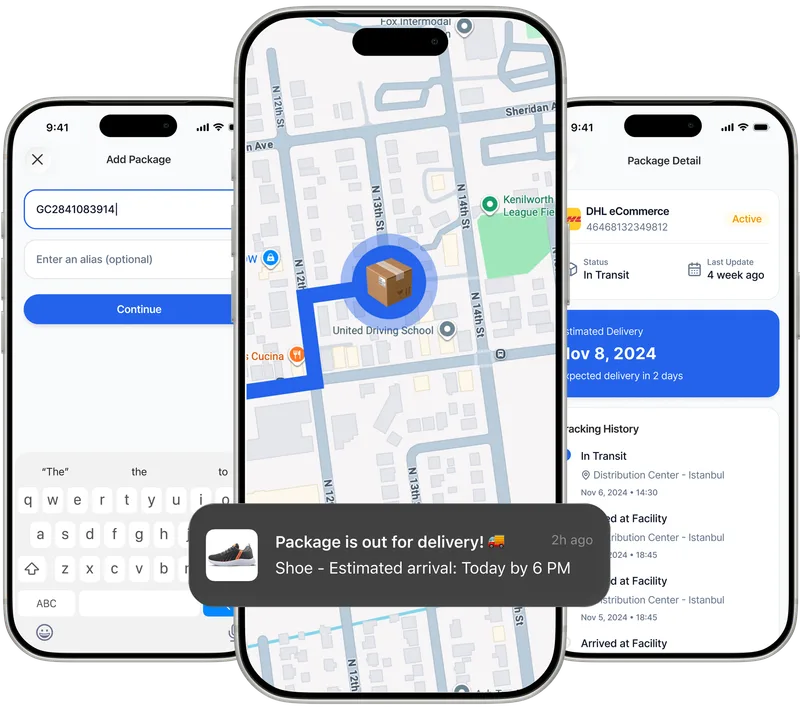
Paxlo connects directly to FOREST's tracking system, pulling real-time scan events from their sorting centers and local delivery stations. When you enter a FOREST tracking number into Paxlo, the app fetches the latest status and location data within minutes of each processing event. This means you see updates when your package enters a regional hub, gets sorted for final delivery, and leaves for your address.
The integration handles FOREST's typical tracking format and decodes location names, delivery attempt notes, and final status indicators. Paxlo translates Chinese location codes and timestamps into clear English, so you don't need to interpret raw carrier data. Push notifications alert you when major events occur, like your package arriving at the delivery station closest to you.
Paxlo eliminates the friction of checking FOREST's website repeatedly or navigating Chinese language interfaces. Instead of copying tracking numbers and pasting them into a browser, you add them once and monitor everything from your phone. The app treats all your carriers uniformly, so whether you're tracking FOREST, SF Express, ZTO, or international carriers, the experience stays consistent.
For frequent shoppers purchasing from Chinese marketplaces or sellers, Paxlo aggregates FOREST shipments alongside other carriers you're tracking. You see one unified inbox of inbound packages rather than juggling multiple tracking websites. Notifications arrive on your phone without needing to check each carrier separately, saving time and reducing missed delivery windows.
Businesses importing goods or managing multiple supplier shipments from China benefit from Paxlo's ability to track FOREST parcels at scale. Add dozens of tracking numbers, organize them by order date or destination, and monitor delivery progress in batches. Exceptions flag automatically, so you catch delays or issues before they impact your operations.
Once FOREST picks up your package, it moves through a predictable sequence of processing stages. The shipment first reaches a local collection point or the sender's nearest regional hub within 24 hours. From there, it gets sorted and routed toward the destination province's main sorting facility, typically arriving within 24 to 48 hours depending on distance.
After reaching the destination region, the package transfers to a local delivery station responsible for your area. This usually happens within another 24 hours. Finally, a local driver takes it out for delivery, typically completing attempts within 2 to 3 working days from the destination hub. If you're not home, FOREST leaves a notice with instructions for redelivery or pickup.
Paxlo specializes in multi-carrier tracking, which means FOREST gets the same attention and reliable integration as premium carriers. You're not using a secondary tool or a sketchy third-party service. The app is built specifically to handle Chinese and international logistics networks, with engineers who understand how FOREST's scanning systems work and what data is reliably available.
Support matters too. If a FOREST tracking number isn't updating or you need help understanding a status code, Paxlo's team can investigate carrier-level issues directly. They're not guessing based on your description, they're checking what FOREST's system actually shows.
Privacy and security are built in. Paxlo doesn't sell tracking data to third parties or use your shipment information for advertising. Your tracking history stays private and on your device. The app uses encrypted connections to pull FOREST data, protecting your information in transit.
Paxlo syncs FOREST tracking data multiple times throughout the day, typically every 2 to 4 hours depending on the package's status. When your shipment is in active transit or undergoing sorting, updates come faster. Once it reaches the delivery station, checks increase in frequency because final delivery can happen any time. You'll receive push notifications for major events like 'arrived at delivery station' or 'out for delivery today' as soon as Paxlo detects them from FOREST's system.
FOREST tracking numbers typically appear in Paxlo within a few hours of pickup, but there's sometimes a delay if the package hasn't reached FOREST's sorting system yet. Double-check that you've entered the number correctly, including any letters or dashes. If the tracking number is new and your package was just handed off to FOREST, wait 2 to 4 hours and try again. If you've waited longer and it still doesn't appear, contact FOREST customer service to confirm they received the shipment. In rare cases, a pickup was scheduled but didn't happen, which Paxlo can't track until the carrier has the package.
Yes. Paxlo sends push notifications for major tracking events, including when your FOREST package enters 'out for delivery' status. You can customize notification preferences in the app settings, choosing which carriers and which event types trigger alerts. Turn on notifications for 'out for delivery' and you'll get an alert as soon as Paxlo sees that update from FOREST. You can also check the app manually anytime to see if delivery is happening that day.
If a FOREST package shows no updates for more than 3 to 5 days, it may indicate a processing delay or exception at a sorting facility. Paxlo's tracking will reflect whatever FOREST's system shows, including any exception notes. If you see a stuck or delayed status, Paxlo can help you understand what the last recorded event was and what area it was in. For actual resolution, you'd contact FOREST customer service directly with your tracking number, but Paxlo gives you the information you need to file a claim or request investigation.
Absolutely. If you sent a package via FOREST with cash on delivery, you can track it in Paxlo just like any other shipment. The tracking data is identical, whether payment is prepaid or COD. Paxlo shows you delivery status, attempted delivery notes, and signature confirmation. However, Paxlo doesn't process the actual cash payment or confirmation, that remains between you and FOREST's driver.
Yes, you can add as many FOREST tracking numbers as needed. Paxlo lets you input unlimited tracking numbers and organizes them in a single inbox. You can sort by carrier, date added, or current status. For businesses managing bulk shipments from suppliers, this is especially useful. Just paste or manually enter each FOREST tracking number, and Paxlo will monitor all of them simultaneously with a unified notification system.
Download Paxlo and track all your packages in one place. Free, fast, and trusted by 50,000+ users worldwide.