South Africa
Track Internet Express shipments in real-time with Paxlo. Get instant updates on your South African parcels from pickup to delivery.
Internet Express has built a reputation as one of South Africa's reliable parcel delivery networks. Operating across the country, they handle everything from small business shipments to personal parcels, connecting urban centers and reaching into secondary towns. Their focus on speed and accuracy has made them a go-to choice for e-commerce businesses and individuals who need their packages to arrive on time.
The carrier operates a hub-and-spoke distribution model, which means your parcel moves through sorting centers strategically placed around South Africa. This approach keeps delivery times predictable and costs reasonable. Internet Express handles both standard and express services, giving customers options based on urgency and budget.
Internet Express emerged as a response to growing parcel volumes in South Africa's retail sector. Over the years, they've expanded their infrastructure to keep pace with e-commerce growth. Unlike some carriers that focus only on major metros, Internet Express made a strategic choice to serve smaller towns and rural areas, filling a gap in the market.
This commitment to coverage has positioned them as an important player in South Africa's last-mile delivery ecosystem. They work closely with retailers, marketplaces, and logistics partners to move goods efficiently across the country's diverse geography.
Internet Express operates sorting hubs in major cities including Johannesburg, Cape Town, and Durban. This network design ensures parcels move quickly through their system without unnecessary delays.
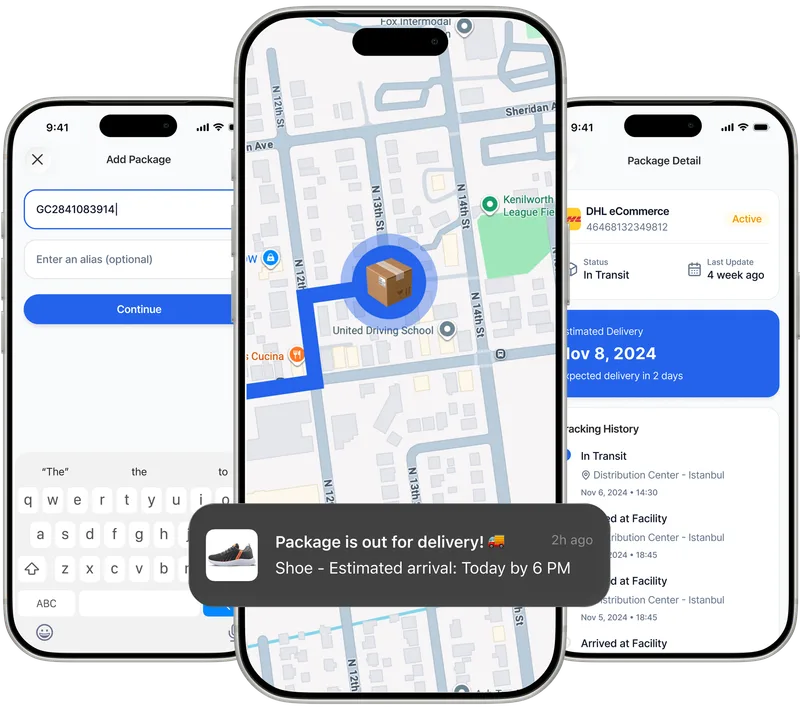
Paxlo connects directly to Internet Express's tracking system, pulling real-time updates about your shipment. Once you add your Internet Express tracking number to Paxlo, you'll see status changes as your parcel moves through their network. No more juggling multiple apps or websites to check delivery progress.
The integration works for both standard and express deliveries. Whether your package is in a sorting facility, out for delivery, or approaching your address, Paxlo displays the information clearly. You get notifications for major events, so you're never caught off guard by a delivery attempt.
Many South African customers rely on multiple carriers for different purchases. Paxlo solves the problem of tracking scattered across different platforms. By centralizing all your Internet Express shipments in one place, you spend less time searching for updates and more time on what matters.
Getting started with Internet Express tracking on Paxlo takes seconds. Open the app, select Internet Express from the carrier list, and enter your tracking number. The number appears on your receipt or confirmation email when you ship your parcel.
Once added, Paxlo immediately syncs with Internet Express's servers and displays the current status. You'll see details like the last update time, the facility your parcel is at, and the estimated delivery window. As the carrier updates their system, Paxlo refreshes automatically so you always have current information.
Tracking through Paxlo shows you exactly which scenario applies to your shipment. You'll see when your parcel reaches sorting hubs and when it enters the final delivery phase, so you can plan for arrival without guessing.
Internet Express serves all nine South African provinces, though delivery times vary by location. Urban and peri-urban areas receive faster service, while remote regions may take longer. Their coverage extends to most towns with populations above 5,000, making them a solid choice for broader market reach.
When you track a parcel through Paxlo, the status messages often indicate which sorting hub or regional facility the package is at. This helps you understand where it is geographically and roughly how far it has left to travel. Customers in Limpopo or the Eastern Cape should expect longer delivery windows than those in Gauteng or the Western Cape.
Real-time tracking removes anxiety from the shipping process. Instead of wondering whether your parcel is still in Johannesburg or already in KwaZulu-Natal, Paxlo shows you exactly. This transparency is especially valuable for high-value items, gifts, or time-sensitive business shipments.
Push notifications mean you don't have to remember to check the app. When Internet Express updates their system, Paxlo immediately alerts you. You'll know if there's a delay before it becomes a problem, giving you time to contact the carrier if needed.
For businesses, Paxlo's tracking capabilities streamline customer service. You can share delivery status with customers, reducing support inquiries. Proof of delivery visible in the app also protects both sender and recipient in case of disputes.
Most tracking issues resolve themselves within a day or two. Internet Express updates their database multiple times daily, so a parcel that shows no movement today will likely show progress tomorrow. Paxlo keeps historical records, so you can see the timeline of all updates.
Once Paxlo shows your parcel is out for delivery, make sure someone is available at the delivery address. Internet Express drivers need access to drop off your package safely. If the address is a business, ensure reception or a designated person will be there to sign for the parcel.
Paxlo's notifications give you a heads-up when final delivery is imminent. Use this time to ensure the delivery location is secure and accessible. If you need to arrange an alternative delivery time or location, contact Internet Express as soon as you see the out-for-delivery status in the app.
Internet Express sometimes uses partner couriers for final-mile delivery in areas outside their direct network. Paxlo tracks the Internet Express portion of the journey. Once transferred, you may need to add the partner courier's tracking number to follow the last leg. Internet Express usually updates their tracking to reflect the handoff, so Paxlo will show the transfer happened. Check for notes in the tracking details about which partner handled the final delivery.
Download Paxlo and track all your packages in one place. Free, fast, and trusted by 50,000+ users worldwide.