China
Track Jinlian packages in real-time with Paxlo. Fast domestic shipping across China with reliable delivery updates.
Jinlian is one of China's major domestic logistics providers, specializing in fast and cost-effective parcel delivery across the country. Founded to serve the explosive growth of e-commerce in mainland China, Jinlian handles millions of packages annually through an extensive network of distribution centers and local delivery partners. The carrier operates with a focus on speed and affordability, making it a popular choice for individual sellers and small-to-medium businesses shipping domestically.
Based in China, Jinlian has built its reputation by offering competitive shipping rates without compromising delivery reliability. The company operates regionally optimized routes that significantly reduce transit times for most domestic shipments. With operations spanning nearly every province, Jinlian has become integral to China's e-commerce ecosystem.
Jinlian's service portfolio is built around simplicity and affordability. They don't compete on premium features, but instead focus on reliable basic shipping that works for everyday parcels. This makes them particularly attractive to cost-conscious sellers who prioritize value over premium handling.
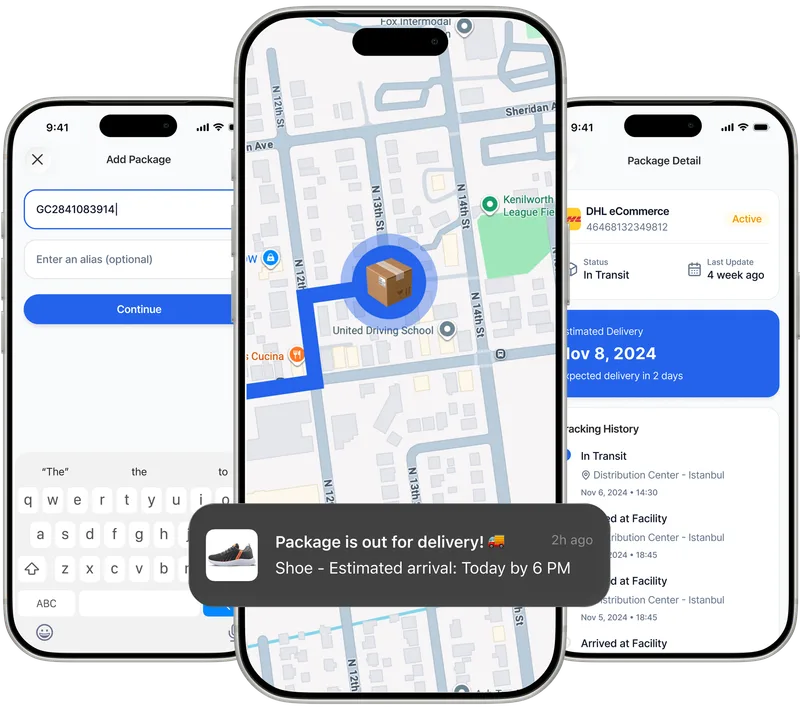
Paxlo connects directly to Jinlian's tracking network, pulling live shipment data so you can monitor packages without switching between apps or websites. When you enter a Jinlian tracking number into Paxlo, the app automatically fetches updates from the carrier's database and displays them in a clean, easy-to-read format. You get real-time location data, estimated delivery windows, and status changes the moment they happen.
The integration works seamlessly whether you're tracking a single package or monitoring multiple shipments at once. Paxlo organizes all your Jinlian deliveries in one place, so you don't have to manually check the carrier's website repeatedly. Push notifications alert you to important milestones, from local sorting facility handoff to final delivery.
Many Paxlo users appreciate being able to track Jinlian packages alongside shipments from other carriers. If you shop online frequently or sell through e-commerce platforms, you'll likely receive packages from several logistics providers. Paxlo eliminates the friction of remembering which carrier handled each shipment and checking different tracking systems.
Jinlian delivers to virtually every corner of mainland China, though delivery times vary by region. Urban areas typically see 2-4 day delivery, while more remote regions may take 5-7 days. The carrier's network has improved significantly over the past five years, reducing delays that once plagued interior provinces. During peak seasons like Chinese New Year or shopping festivals, delivery times may extend slightly, but the carrier generally maintains consistent performance.
Tracking through Paxlo gives you visibility into exactly where your package is in this network. You'll see scans at regional hubs, local sorting facilities, and delivery attempts. This transparency helps you plan for package arrival and avoid uncertainty about whether a shipment is stuck or simply in transit.
If you receive regular deliveries from sellers in mainland China, or if you run an online store shipping domestically, Paxlo makes tracking Jinlian packages effortless. The app is especially valuable for business owners who need to monitor shipment status for customer service purposes. When a buyer asks where their order is, you can instantly pull up Paxlo and provide a specific update rather than guessing.
Casual shoppers also benefit from Paxlo's cleaner interface compared to Jinlian's sometimes clunky native tracking system. Everything updates automatically, removing the mental load of manually checking shipment status.
These features work together to give you complete visibility without the usual hassle. Most users find they receive delivery notifications from Paxlo before official alerts from Jinlian, thanks to real-time polling of carrier databases.
When a package arrives at a Jinlian facility, you'll see a scan notification almost immediately in Paxlo. As it moves through regional distribution centers, each checkpoint generates an update. Local delivery hubs provide more granular location data, showing which neighborhood the package is in. On delivery day, you'll get a final notification once the package has been handed to the recipient or left at a specified location.
If a package is delayed, Paxlo's tracking history helps you understand why. You can see if it got stuck at a facility, if there was a transport delay, or if it's simply in a slower regional queue. This context makes it much easier to provide accurate information to customers or make decisions about contacting the carrier.
Open Paxlo and tap the plus icon to add a new package. Paste or type your Jinlian tracking number, and the app will automatically detect it and pull live data from Jinlian's network. If you receive a shipment notification via SMS or email, Paxlo can often extract the tracking number automatically. Once added, your package will appear in the main dashboard with real-time updates.
Paxlo polls Jinlian's tracking system multiple times per hour for active shipments, so you'll see updates within minutes of when the carrier records them. During peak hours or high-volume periods, there may be occasional delays of 15-30 minutes, but this is rare. Once a package is delivered, Paxlo marks it as complete and stops polling, though you can still view the full tracking history anytime.
Yes. Paxlo supports unlimited simultaneous tracking of packages from any carrier, including Jinlian. You can add dozens of shipments to your dashboard, and each will update independently. The app organizes them chronologically and by carrier, making it easy to see which packages are still in transit and which have been delivered.
If Paxlo displays no recent tracking scans, it could mean the package is delayed at a facility, in a regional warehouse awaiting processing, or experiencing a temporary scanning gap in Jinlian's system. Check the last recorded location and timestamp. If the package hasn't moved for more than a week and is still showing as in-transit, contact Jinlian directly through Paxlo's quick-contact feature. Provide them with your tracking number and the last scanned location so they can investigate.
Paxlo displays the most recent location recorded by Jinlian's scanning network, which is typically a local sorting facility, regional hub, or delivery station. While this isn't a live GPS map like some premium services offer, it's accurate enough to know which city or district your package is in. Jinlian itself doesn't provide GPS-level tracking for standard domestic shipments, so Paxlo shows you everything the carrier knows. This level of detail is sufficient for most users planning delivery arrival and contacting the carrier if needed.
Yes. Paxlo sends push notifications for all tracking events, including failed delivery attempts or notices to pick up from a facility. If the delivery driver couldn't access your location or you weren't home, Paxlo will alert you to the status change and show you what action to take next. Some delivery attempts get rescheduled automatically, while others require you to contact the driver or visit the facility. Paxlo's notification keeps you informed every step of the way so you don't miss these critical updates.
Download Paxlo and track all your packages in one place. Free, fast, and trusted by 50,000+ users worldwide.