China
Track JTD Express shipments in real-time with Paxlo. Fast delivery across China with instant notifications and detailed tracking.
JTD Express has built a strong reputation as a reliable mid-sized logistics provider operating throughout mainland China. Founded to serve the demand for cost-effective, dependable shipping solutions, JTD has grown steadily by focusing on service quality and regional expertise. The carrier operates thousands of distribution centers and pickup points, making it accessible for both businesses and individual shippers across urban and suburban areas.
What sets JTD apart is its commitment to competitive pricing without sacrificing delivery speed. The carrier handles everything from same-day local deliveries to multi-day regional routes, serving e-commerce sellers, small businesses, and retail operations that need reliable parcel handling at reasonable rates.
JTD operates a comprehensive network covering most of China's major cities and provinces. Their service portfolio includes standard ground delivery, priority express options, and special handling for fragile items. The carrier has invested heavily in sorting facilities and route optimization to improve on-time performance across their service area.
JTD's network strength comes from its focus on specific regions where it has built deep operational expertise. Rather than trying to be everything everywhere, the carrier has optimized routes and facilities where demand is highest, which often means faster service and better price points for customers in those coverage areas.
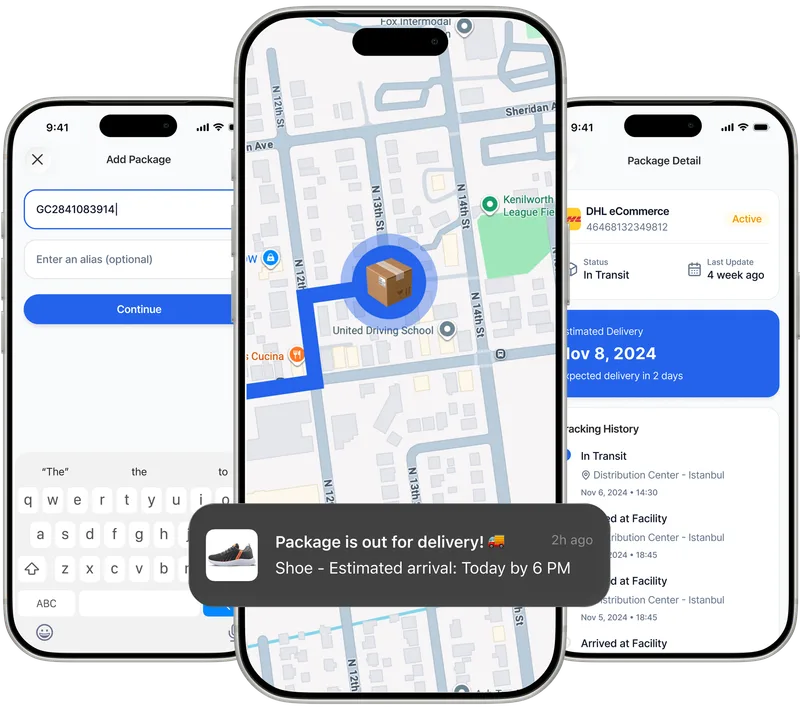
Paxlo integrates directly with JTD's tracking systems to pull real-time shipment data. When you add a JTD tracking number to the Paxlo app, you get instant visibility into your package's location and status at every step of the delivery journey. The app automatically detects your carrier and retrieves the most current information available from JTD's distribution network.
The integration goes beyond basic tracking. Paxlo monitors your JTD shipment continuously and sends you push notifications when status changes occur, like when your package arrives at a sorting facility, loads onto a delivery vehicle, or reaches the final destination. This means you'll know about delays or delivery attempts without having to check the app manually.
Tracking your JTD shipments through Paxlo saves time and reduces the frustration of checking multiple carrier websites. Instead of switching between apps or logging into different tracking portals, everything happens in one place. Whether you're managing a single shipment or monitoring dozens of packages for your business, Paxlo keeps all your JTD tracking organized and current.
The app is particularly useful if you work across multiple carriers. Paxlo handles JTD, SF Express, YTO, ZTO, and many other major carriers in a single interface. You get consistent notifications, standardized tracking views, and the ability to manage your entire shipping portfolio without juggling different apps or websites.
For e-commerce businesses using JTD as a primary carrier, Paxlo integration offers something additional, the app tracks your outbound shipments so you can monitor delivery success rates and get early warnings about problem orders. When you see a JTD package getting stuck in a facility or facing repeated delivery attempts, you can reach out to customers proactively instead of waiting for complaints.
JTD has earned solid marks for on-time delivery across most of its service area. The carrier operates modern sorting facilities and employs trained delivery personnel, resulting in a low damage rate and generally positive customer feedback. That said, like any carrier operating across China's varied geography, performance can vary depending on destination and current volume.
Using Paxlo to track JTD shipments gives you the visibility to spot any issues early. If a package isn't progressing as expected, the app's detailed location and status information helps you take action before delivery is officially failed or the customer becomes upset.
Download Paxlo on iOS or Android, then add your JTD tracking number. You can find this number on your shipping label, receipt, or order confirmation from the retailer or shipper. Once added, Paxlo immediately connects to JTD's system and starts displaying tracking information. Turn on notifications so you don't miss important delivery updates.
If you're a business shipping regularly with JTD, consider setting up Paxlo as your primary tracking tool. The app can import tracking numbers in bulk and provides an organized dashboard of all active shipments. This approach works well whether you're a small seller managing a few orders daily or a larger operation handling hundreds of shipments.
Your JTD tracking number is printed on your shipping label or receipt. It's usually a 10-12 digit code. If you purchased something online, check your order confirmation email from the retailer, as it often includes the tracking number. You can also contact the seller or shipper directly if you can't locate it. Once you have the number, simply enter it into Paxlo to start tracking.
Paxlo pulls updates from JTD's system multiple times per hour, so you typically see status changes within minutes of them happening in JTD's network. During peak shipping periods or in remote delivery areas, updates might take slightly longer. The app sends push notifications whenever your shipment's status changes, so you don't need to manually check for updates.
'In transit' typically means your package has left the origin sorting facility and is moving through JTD's network toward the destination. It might be at an intermediate hub or on a delivery vehicle. Check the detailed location information in Paxlo to see the specific facility where your package currently is. Most JTD packages in transit status reach their destination within 1-3 business days, depending on the route.
Paxlo shows you JTD's contact information within the tracking view, so you can reach out to the carrier directly if needed. For most tracking questions or delivery issues, Paxlo's detailed status information usually answers what you need to know. If there's a problem like a damaged package or missed delivery, you can contact JTD's customer service using the phone number or web portal shown in the app.
This happens occasionally, especially overnight or during very busy shipping periods. JTD facilities may batch scan packages, so updates might arrive in groups rather than continuously. Remote delivery areas also sometimes have longer gaps between updates. If your package hasn't shown movement in 24+ hours despite being in transit status, it might be worth checking with JTD directly to confirm there are no delays. Paxlo will send you a notification as soon as the next update appears.
JTD primarily operates within mainland China, so most of their shipments are domestic. For international shipments, those are typically handed off to another carrier for the overseas portion. Paxlo can track the JTD portion of your shipment, but once it reaches the international carrier, you may need to switch to that carrier's tracking system. Check with the original shipper to understand the full delivery path.
Download Paxlo and track all your packages in one place. Free, fast, and trusted by 50,000+ users worldwide.