Denmark
Track Maersk shipments in real-time with Paxlo. Get instant updates on your containers and deliveries worldwide.
Maersk is the world's largest container shipping company, operating one of the most extensive maritime networks globally. Founded in 1904, this Danish conglomerate has grown from a single steamship into a logistics powerhouse that moves millions of containers across oceans every year. With Paxlo, you can track your Maersk shipments in real-time, cutting through the complexity of international freight forwarding.
Maersk handles cargo for importers, exporters, retailers, manufacturers, and freight forwarders across every major industry. Whether you're shipping electronics from Asia to Europe, apparel to North America, or raw materials between continents, Maersk's fleet and logistics infrastructure touch your supply chain. The company operates scheduled services on major trade lanes, offering container shipping solutions for businesses of all sizes.
Maersk operates container ships on fixed schedules connecting over 350 ports worldwide. The company offers different service tiers: express services for time-sensitive cargo, standard weekly services on major routes, and specialized solutions for perishables, hazardous materials, and project cargo. Their integrated approach combines ocean freight with inland transportation, port operations, and warehousing. This means your container might spend time at a Maersk-operated terminal, in transit on a Maersk vessel, or moving via Maersk-contracted trucking.
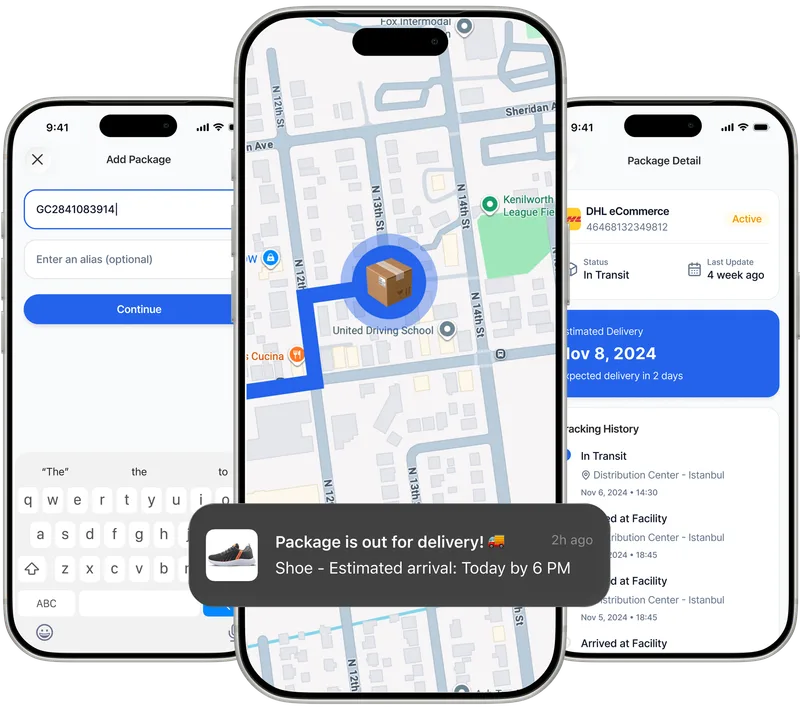
Paxlo connects directly to Maersk's tracking systems, pulling live data about your container's location, port activities, and estimated arrival times. Instead of logging into multiple shipper portals or contacting freight forwarders for updates, you get everything in one mobile app. Add your Maersk bill of lading number or container number to Paxlo, and you're instantly notified of departures, port arrivals, customs milestones, and delivery windows.
Maersk shipments involve multiple legs: truck to origin port, port loading, ocean transit (often 10-30+ days), port discharge, and final delivery. Each stage generates tracking data. Paxlo aggregates these updates and alerts you the moment something changes. You'll know when your container is loaded onto the vessel, when it's in port, and when it's cleared customs. This visibility reduces stress and helps you plan warehouse receiving, customer notifications, and supply chain timing.
International ocean freight is complex. Your container might spend days waiting for a slot on the right vessel, pass through multiple ports, and depend on weather, congestion, and regulatory clearances. Maersk's own tracking system requires familiarity with their website or API, and updates can lag by hours. Paxlo solves this by delivering updates to your phone the moment they're available, in plain language you don't need to decode.
Importers and exporters using Maersk often handle multiple shipments simultaneously. Paxlo lets you track dozens of containers at once from a single dashboard, set custom alerts, and share tracking links with customers or internal teams. This is especially valuable for businesses managing inventory across continents, where missed delivery windows mean cash flow problems or customer dissatisfaction.
Maersk is the backbone of modern international trade. The company operates mega-ships carrying over 20,000 containers each, operates its own terminal infrastructure at major ports, and owns the APM terminals network. When you choose Maersk, you're choosing reliability, frequent sailings, and access to most trade lanes. However, scale brings complexity. Maersk operates thousands of weekly departures, and tracking a single shipment in that volume requires the right tools.
Many shippers work with freight forwarders who consolidate cargo and book space with Maersk. Others book directly with Maersk as shippers of record. Regardless of your relationship with Maersk, Paxlo gives you direct visibility into your container's journey. You're not dependent on a freight forwarder's email updates or an outdated ETA.
Download Paxlo from the App Store or Google Play. Create an account, then add your Maersk bill of lading (BOL) or container number. Paxlo will fetch the latest tracking data and start sending you updates. If you're tracking multiple Maersk shipments, add them all. The app organizes them chronologically and by status, so you always see what needs attention. Customize notifications to match your workflow, whether you want updates only for major milestones or for every port activity.
For businesses shipping regularly with Maersk, Paxlo becomes an essential part of your logistics routine. You'll spend less time hunting for status updates and more time focusing on fulfilling orders, managing inventory, and growing your business. The app integrates tracking data from Maersk with other carriers, so whether your shipment moves via Maersk, MSC, CMA CGM, or smaller regional carriers, you're tracking everything in one place.
Open Paxlo and tap the plus icon to add a new shipment. Enter your Maersk bill of lading number or 11-digit container number. Paxlo connects to Maersk's systems and pulls the latest tracking data. You'll see the current location, port status, and estimated delivery date. From that point on, Paxlo sends you notifications whenever the shipment status updates.
Paxlo checks for updates multiple times per hour and pushes notifications to your phone as soon as new data arrives from Maersk. During port activities, you'll see updates within minutes of a vessel arrival or discharge completion. When a container is in transit on the ocean, updates come from the vessel's AIS (automatic identification system) position reports, typically every few hours. During customs clearance, you'll be notified as soon as status changes.
Yes. In Paxlo, open the shipment and tap the share button. You can copy a tracking link and send it to customers, business partners, or internal teams. Recipients can view the current status and delivery estimate without needing to install the app. This is especially useful for B2B shipments where your customer wants real-time visibility without you having to send manual updates.
Paxlo automatically detects delays by comparing your shipment's current pace to Maersk's estimated arrival date. If your container falls behind schedule, you'll receive a delay alert with details about the reason if available, such as port congestion, weather, or vessel schedule change. You can then notify your customers, adjust your warehouse receiving plan, or contact your freight forwarder with specifics about the delay.
Absolutely. Many freight forwarders book space with Maersk and consolidate shipments. If you're a shipper working with a forwarder, you can still add your bill of lading to Paxlo directly. The BOL number or container number works the same way whether you booked directly with Maersk or through a forwarder. You get instant tracking visibility, which means you're not dependent on your forwarder's update schedule.
Yes. You can add unlimited shipments to Paxlo. The app displays all your active shipments in one dashboard, organized by status. You can filter by carrier (Maersk only), by status (in transit, customs, delivered), or by date. This is invaluable for importers and retailers who ship dozens of containers simultaneously across different routes and vessels. Each shipment sends independent notifications, so you're never in the dark about any container.
Download Paxlo and track all your packages in one place. Free, fast, and trusted by 50,000+ users worldwide.