SJE (Shengji Express) is a mid-tier logistics carrier operating across China, handling millions of parcels annually for e-commerce businesses and individual shippers. Founded to serve regional delivery needs, SJE has expanded into a nationwide network covering urban and semi-rural areas with competitive pricing and reasonable delivery timeframes.
Unlike mega-carriers like SF Express or ZTO, SJE operates with lower overhead and focuses on volume efficiency rather than premium speed. This makes it popular for non-urgent shipments, bulk orders, and sellers looking to reduce logistics costs without sacrificing basic service quality.
SJE maintains sorting hubs in Beijing, Shanghai, Guangzhou, and Chengdu, with local delivery stations in most prefecture-level cities. Their strength lies in cost-effective ground routes rather than air freight, making them ideal for non-perishable goods with flexible timelines.
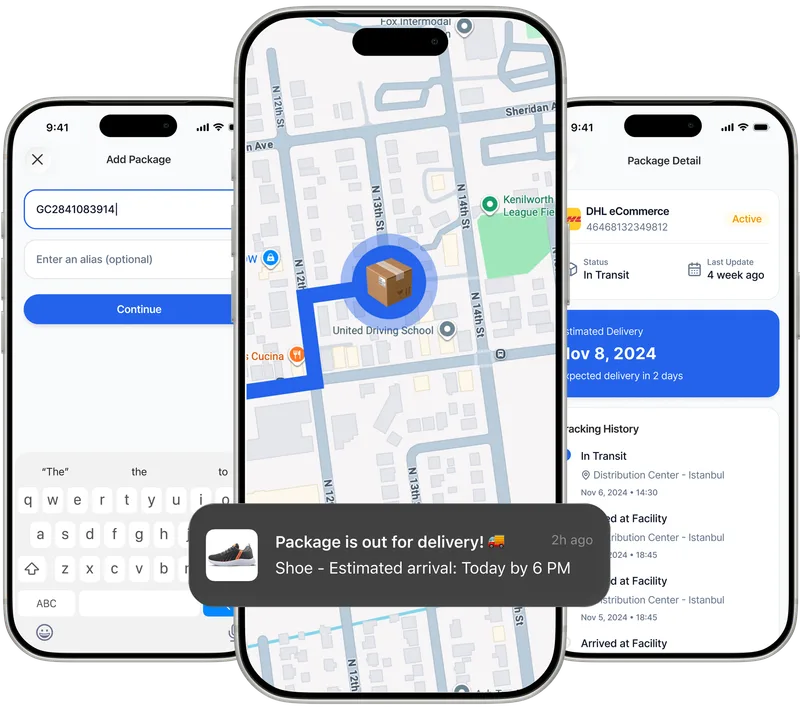
Paxlo integrates with SJE's tracking system to pull real-time location and status updates directly from their network. When you enter a SJE tracking number into Paxlo, the app automatically fetches the latest scan data, showing exactly where your package is in the sorting and delivery chain.
The integration covers all standard SJE services. You'll see timestamps for each scan point, from origin facility through sorting hubs to final delivery. Paxlo also handles the translation of Chinese status messages into English, so you understand what each update means without language barriers.
Most SJE shipments move predictably through the same facilities. Paxlo learns these patterns and can alert you to unusual delays or delivery attempts, giving you a heads-up before problems compound.
SJE advertises 3-7 day delivery for standard routes. In practice, most packages within the same province arrive in 2-4 days. Cross-province shipments typically take 5-7 days unless they hit weekend sorting delays or seasonal backlogs during shopping festivals.
Using Paxlo, you'll spot the difference between genuine delays and normal sorting windows. A package sitting at a sorting hub for 24 hours is standard. If it's been there for 48 hours without moving during a weekday, that's worth investigating with SJE customer service.
SJE updates their tracking system multiple times per day at major hubs, but local delivery updates may come only once daily when the package is handed to the final-mile courier. Early morning and evening are peak update windows. Weekend activity is minimal, so packages picked up Friday may not show movement until Monday morning.
Paxlo will refresh SJE data whenever you open the app or pull down to refresh. Behind the scenes, the app can also push notifications when new scan activity is detected, so you don't need to check manually every few hours.
Paxlo displays these statuses in plain English and timestamps each one. If you see an 'Exception' status, Paxlo helps you contact SJE quickly with all the shipment details already filled in.
China's express market is fragmented between tier-one carriers (SF, ZTO, Sto) and dozens of smaller regional players. SJE occupies the middle ground, offering reliability without the premium pricing. They're particularly strong in central and eastern provinces where they originated.
For international buyers or sellers using SJE, understanding their service level is crucial. They don't offer international shipping directly, but many of their packages originate from or go to addresses serving cross-border e-commerce hubs. Tracking with Paxlo ensures you catch any delays before they cascade into missed payment deadlines or customer complaints.
Open Paxlo on your phone, tap the plus or add button, select 'SJE' from the carrier list (or type 'SJE' in the search), and paste or type your tracking number. Paxlo will fetch the latest data from SJE's system immediately. If the number is valid, you'll see the current status within seconds. Save the tracking to your account, and Paxlo will notify you of future updates.
First, verify the tracking number is correct and matches the carrier (SJE, not another company). Double-check for extra spaces or typos. If the number is correct, the package may not yet be in SJE's system if it was just handed to them in the past few hours. Very new shipments can take 2-4 hours to appear. If it's been more than 12 hours since you shipped it and still no tracking data, contact SJE or your seller to confirm the label was registered. Paxlo's refresh is only as current as SJE's own system.
Paxlo checks SJE's servers every time you manually refresh the app or open a tracking detail. We also push notifications when new scan activity is detected, so you don't need to check manually. SJE themselves update their tracking system throughout the day at major hubs, typically multiple times between 6 AM and 10 PM. Local delivery updates are usually added once per day when the final courier scans the package.
Yes, Paxlo analyzes the current scan location, service type, and historical delivery patterns to estimate when your SJE package will arrive. The estimate appears in your tracking timeline and updates as the package moves. Estimates are most accurate once the package reaches the destination city's sorting facility. Earlier in transit, the estimate has a wider range since regional sorting times vary.
An exception status means something delayed the package, such as an undeliverable address, failed delivery attempt, or sorting error. Paxlo displays the reason (if SJE provided it) in the tracking details. Next step: contact SJE's customer service with your tracking number. Paxlo makes this easier by letting you email support directly from the tracking screen with all shipment details pre-filled. Common fixes include correcting an address, rescheduling delivery, or claiming a lost package for compensation.
SJE primarily operates within China and doesn't offer direct international service. However, if your package is handled by SJE domestically in China before being handed to an international carrier, Paxlo tracks the SJE portion up to the handoff point. After that, you'd need to switch to tracking with the final international carrier. If you're unsure which carriers are involved, Paxlo's search can help identify the right tracking number for each leg.
Download Paxlo and track all your packages in one place. Free, fast, and trusted by 50,000+ users worldwide.