South Korea
Track SLX shipments instantly in South Korea. Real-time updates and delivery alerts built into the Paxlo app.
SLX is one of South Korea's major logistics providers, operating a nationwide network that handles millions of parcels annually. The carrier specializes in domestic delivery services across the Korean peninsula, serving both individual consumers and businesses with reliable package transport. SLX has built its reputation on consistent delivery performance and extensive coverage, reaching even remote areas through strategic partnerships and regional hubs.
With Paxlo, tracking your SLX shipments becomes effortless. Instead of visiting multiple websites or calling customer service, you get real-time delivery updates directly in one mobile app. Whether you're waiting for online purchases, business documents, or time-sensitive goods, Paxlo keeps you informed every step of the way.
South Korea has one of the world's most competitive e-commerce markets, and SLX plays a critical role in making fast delivery possible. The carrier operates sorting facilities in major cities including Seoul, Busan, Incheon, and Daegu, enabling quick package distribution. SLX competes directly with other national carriers by maintaining high delivery standards and offering flexible service options.
The South Korean logistics sector demands precision. Next-day delivery is standard in metropolitan areas, and SLX meets these expectations through sophisticated route optimization and trained delivery personnel. Their integration with Paxlo means you can verify these fast timelines in real-time rather than guessing when your package will arrive.
SLX adapts to how modern shoppers want to receive packages. You can request delivery at specific times, redirect shipments to alternative addresses, or pick up parcels at designated SLX partner locations. Paxlo lets you manage these preferences directly through the app, checking status and making adjustments without contacting the carrier.
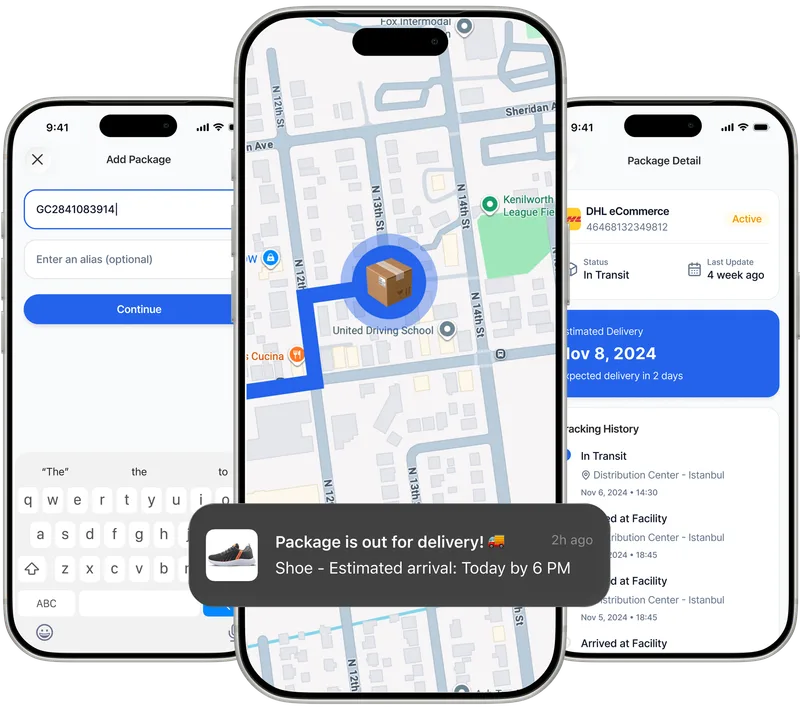
Paxlo integrates directly with SLX's tracking system, pulling live data from their network. When you add an SLX tracking number to Paxlo, the app retrieves your shipment's current location, expected delivery date, and any handling notes. You receive push notifications automatically, so you're never left wondering if your package has moved through a sorting facility or left for final delivery.
The integration captures key milestones in the shipping process. You'll see when your parcel is received at the origin facility, transferred between regional hubs, out for delivery, and finally marked as delivered. For packages with delays or issues, Paxlo surfaces SLX's status messages, explaining hold-ups clearly.
Rather than toggling between different carrier websites or apps, Paxlo consolidates all your shipments in one place. If you order from multiple online retailers or send packages to different recipients, you manage them all without remembering which carrier handles which parcel.
Paxlo's mobile-first design works faster than SLX's official tracking page on a phone. You get the information you need in seconds, formatted clearly with no ads or clutter. The app also learns your preferences, making it even quicker to find tracking numbers and set notifications for packages you care about.
Planning your day around a delivery becomes simpler. Paxlo tells you precisely when SLX will attempt delivery, so you know whether to stay home, arrange access, or redirect the package. This visibility reduces missed deliveries and the frustration of rescheduling.
Shoppers using Korean e-commerce platforms like Coupang, 11street, or Gmarket often encounter SLX for domestic orders. Whether you're buying electronics, clothing, groceries, or gifts, SLX handles the final leg of delivery. Paxlo makes it natural to track these purchases alongside packages from other carriers.
Businesses sending documents, samples, or products to Korean addresses also benefit. Paxlo's tracking history provides proof of delivery for business records, helping resolve disputes or confirm that time-sensitive shipments arrived on schedule.
International customers receiving packages from South Korean sellers can track SLX shipments up to the point of international handoff, then monitor the international leg through other carriers. Paxlo bridges these transitions, keeping your full shipping timeline visible.
Your SLX tracking number appears in your order confirmation email from the retailer or on your account page. Look for an alphanumeric code starting with SLX or a 10-12 digit number. Korean online shopping sites like Coupang and 11street display tracking numbers clearly on order details. Once you have it, paste it into Paxlo and you'll get live updates without visiting SLX's website.
Paxlo shows you the current delivery status and alerts you to upcoming changes, but address changes must be made directly through SLX's customer service or your retailer before the package enters final delivery. However, if you notice an issue in Paxlo, you can contact SLX's support team with your tracking number, and they'll help resolve it. The sooner you act, the better your chances of changing the address, so use Paxlo's early notifications to catch problems quickly.
Paxlo pulls SLX's official estimates, which are typically accurate within 24 hours for standard domestic deliveries within South Korea. During peak seasons like Lunar New Year or Black Friday, delays can extend delivery windows. Paxlo updates these estimates automatically as your package moves through SLX's network, so you always see the most current projection. If SLX announces delays, you'll receive notifications in the app.
When Paxlo shows 'out for delivery,' your package has left the local SLX facility and is on the delivery vehicle heading toward your address. In Seoul and major cities, this typically means arrival within a few hours. SLX drivers are trained to deliver during your specified time window, though traffic can cause delays. Once marked 'out for delivery,' watch for Paxlo's arrival notification so you can prepare to receive your package.
Extended gaps in updates usually indicate your package is waiting at a regional sorting facility for consolidation with other packages going to your area. This is normal and doesn't mean it's lost. However, if Paxlo shows no update for more than 3 business days without a clear reason, contact SLX directly with your tracking number. They can confirm the package's physical location and provide an updated delivery timeframe. Paxlo's notification history gives you all the timestamps you need to reference when speaking with SLX customer service.
Paxlo tracks SLX shipments as long as they remain on SLX's network within South Korea. If you're receiving a package from a Korean seller that goes international first, Paxlo will track it until SLX hands it off to a customs broker or international carrier. Once it enters the international shipping phase, you'll need to track it through the international carrier's system. Paxlo can help you organize all your tracking numbers, so you have everything in one place even if multiple carriers are involved.
Download Paxlo and track all your packages in one place. Free, fast, and trusted by 50,000+ users worldwide.